
Alerts — the channel you leave on, because it never cries wolf
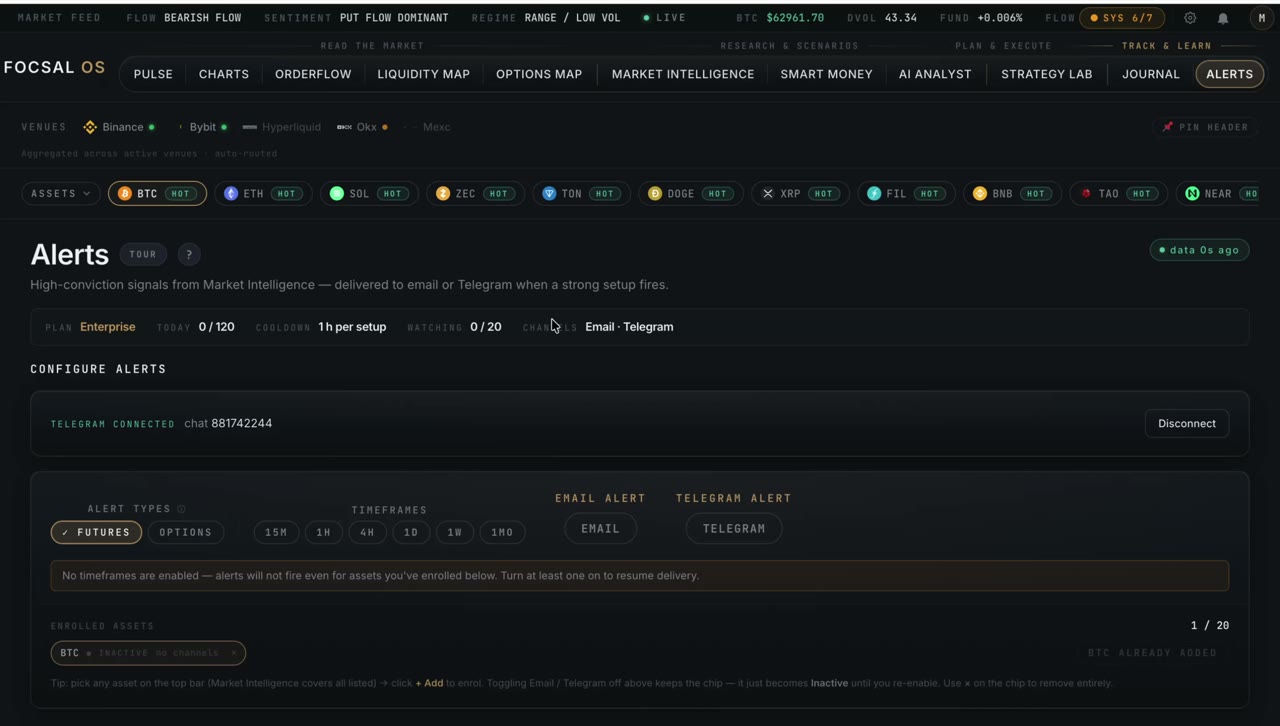
Consensus-based monitoring, delivered to email and Telegram. Alerts only fire when five engines agree, your confidence floor is met and enough timeframes align — and each one arrives with a full trade plan, not just "BTC is bullish".
Why it exists
Most alerts are noise. A single indicator crossing a line, a funding rate ticking past a number, a broadcast bot pinging everyone the same thing — they fire constantly, so you learn to ignore them, and then you miss the one that mattered.
Alerts is built to be the opposite: the channel you actually leave on. It only fires when the whole system agrees — five engines, your confidence threshold, enough aligned timeframes — and never on a flat or neutral market. Fewer pings, each one worth reading.
What you get
How a trigger works
Every few minutes the evaluator reads the latest verdict for each asset you watch. An alert only fires when three conditions all hold: the verdict is a directional read (strong or leaning, never range or neutral), confidence clears your floor, and at least your chosen number of timeframes align. A cooldown then prevents the same asset, timeframe and bias from firing again too soon — so a persistent setup pings you once, not every cycle.
Two sliders put you in control: a confidence floor from 60% to 100%, and a timeframe-alignment requirement from two to six. Want only the highest-conviction setups? Push both up and get a handful of pings a day. Want broader coverage? Ease them down. The next evaluation cycle uses your new settings.
What's inside an alert
An alert isn't a one-liner. Each one carries the verdict, confidence and setup-quality grade, the five-engine breakdown, and a complete trade plan: entry zone, a stop with its structural reason, primary and secondary targets, R:R, a sizing hint and invalidation notes. Options-mode alerts add the volatility state, gamma regime and critical strikes. You can read it and act without even opening the app — and a "send sample" button lets you verify the wiring on a quiet day.
Connecting Telegram is one tap — no copying chat IDs. Click connect, tap "Start" in the app, and you're linked. A "/stop" any time disconnects every alert in one go.
Alerts is the "find" end of the loop. It watches the same Market Intelligence verdict the rest of the platform runs on, hands a found setup to Strategy Lab to plan, and that trade lands in Journal to review. What you learn there feeds back into how you tune Alerts — fewer, sharper signals over time.
Set up Alerts
Consensus alerts with a full trade plan, to email or Telegram — included from the Plus plan upward.
See plans


